How do you connect Meta Lead Ads to a CRM without losing enquiries?
A lead form can collect an enquiry in seconds. The business still needs to receive it, assign it and know when a connection has stopped working.
A lead is valuable only when someone receives it and knows what to do next. We connect Facebook and Instagram forms to one clear CRM flow, so each enquiry has its source, an owner and a next step. Then we check the journey from submission to response.
The useful measure is not how many leads an ad reports. It is how many enquiries your team can actually find and follow through.
Check the complete journey, not the connector badge.
Three decisions make a lead-ad integration operationally useful.
One destination
Decide where the original enquiry is stored, how it is identified and who can see it. Keep a retrievable source record without creating parallel versions of the same lead.
Reliable ownership
Assign the new request by a rule the team understands, with a fallback when a field is missing or a person is unavailable.
Visible failure
Compare form submissions with received records, alert on delivery failures and review unresolved enquiries regularly.
Use the simplest route that supports your real forms
Start with the forms you already use.
List your active Pages and forms, then decide where each request should arrive. One team may need a simple CRM connection; several teams may need different owners and follow-up paths. The right setup is the one your staff can trust and maintain.
Keep the context that makes a lead actionable
A name and phone number are not enough. Your team should also see what the person asked for, which form brought them in and whether anyone has replied. Keep marketing permission separate from the enquiry, so a request for a quote never becomes an automatic newsletter signup.
Reconcile what Meta reports with what the team received
Check regularly that the requests shown in your forms also appear in the CRM. If one stops arriving, the team should know quickly. A working lead flow is more than a connected account: it is a request that reaches the right person in time.
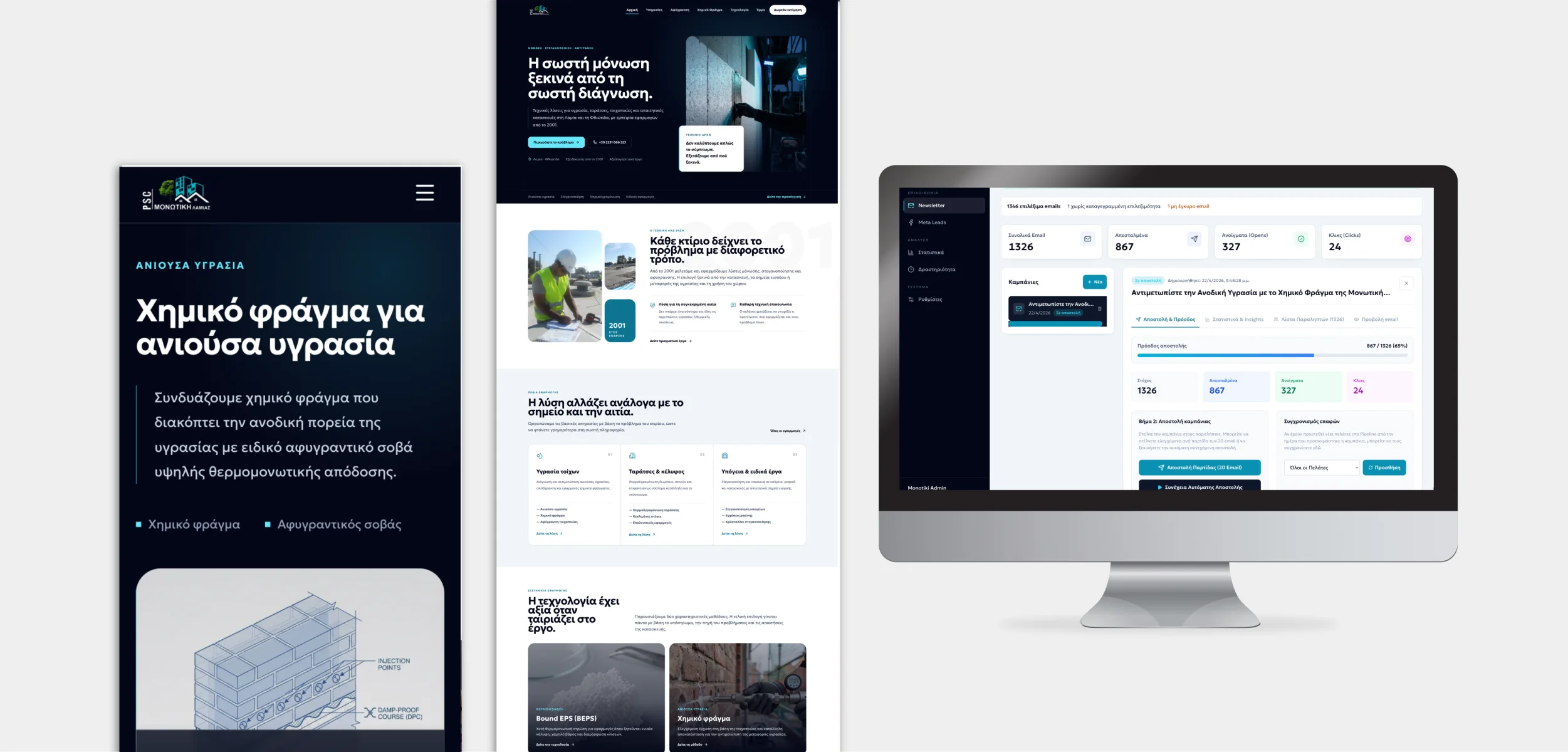
See the Monotiki Lamias lead operation
Website, campaigns and CRM working together for a clearer path from enquiry to follow-up.
Explore the case study Explore automation and integrationsClear answers, without the jargon.
01Does connecting the ad account automatically sync every lead form?+
No. Check the Page and each active form separately, then confirm a test request arrives in the CRM with the right details.
02Why do Meta results and CRM contacts show different totals?+
They can measure different things: attributed ad results, form submissions, unique people or stored contacts. Compare the same forms and dates, then investigate individual submission identifiers before assuming data was lost.
03Should every new lead receive an automatic message?+
An acknowledgement can be useful when it matches the request and communication permissions. A person should still own qualification, unusual cases and the substantive response.
04When is a custom Meta-to-CRM integration worth building?+
Consider it when multiple Pages, teams, forms or business rules make a standard connector unreliable or hard to audit. For one simple flow, test an existing connector first and include monitoring in either option.

Andrew Matia - LineWeb
Founder of LineWeb. I write about the practical side of websites, systems, automation and search: the decisions that make a business easier to run and clearer to find.
Read the founder storyCan your team account for every enquiry from your active forms?
Show us the Pages, forms, current CRM and where follow-up becomes unclear. We can assess whether a connector, a better operating process or a focused custom integration is the sensible next step.